Get connected with
Amazon Signage Stick
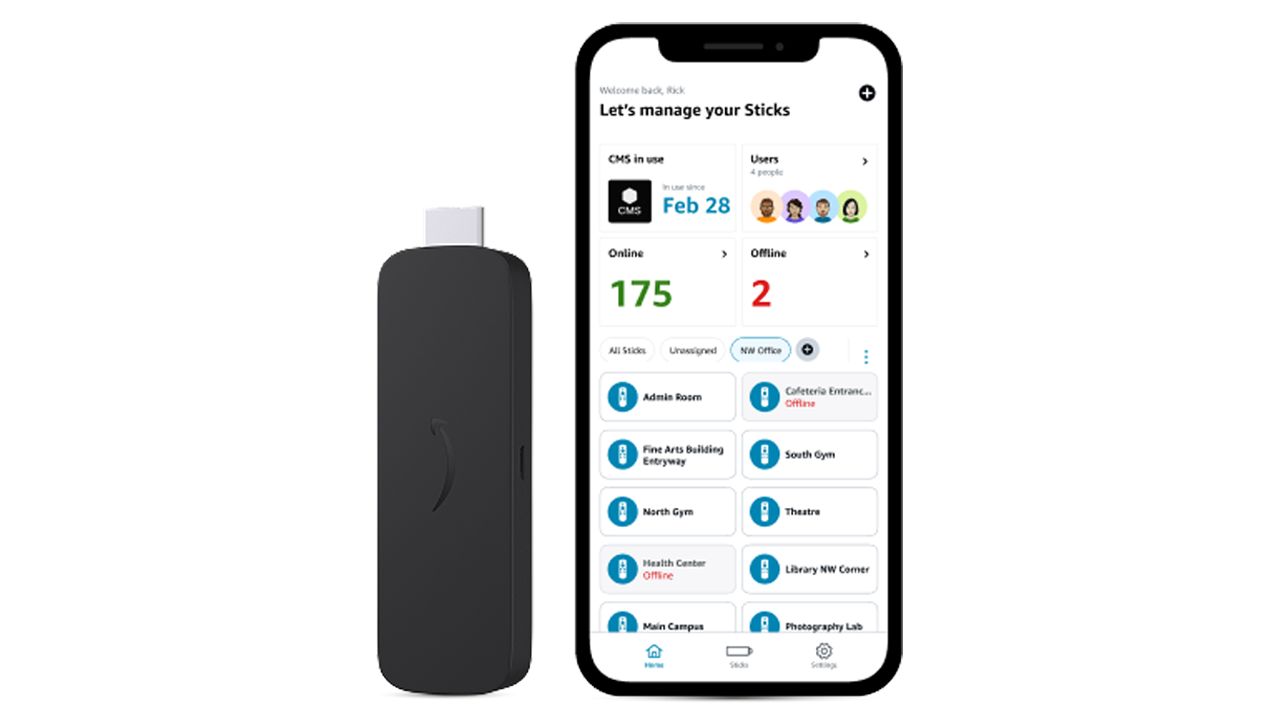
VMcast Healthcare TV seamlessly integrates with Amazon's Signage Stick right out of the box so you have content running in minutes. All you need is an internet connection and a screen with an HDMI port.
Key advantages
- Purpose-built for digital signage
- Mobile app for easy set up and remote monitoring
- Launches VMcast automatically for uninterrupted playback
- Improved performance and increased storage for videos
- Designed for continuous, always-on use
- Enhanced security for professional environments
The Amazon Signage Stick offers a professional, scalable digital signage experience at a price that makes sense.
Get the VMcast + Amazon Signage Stick BundleSet up the Amazon Signage Stick
Multiple Screens
Each set up is unique. Whether you’re a single-provider practice or a multi-location health system, VMcast and the Amazon Signage Stick give you an affordable, professional and scalable solution.
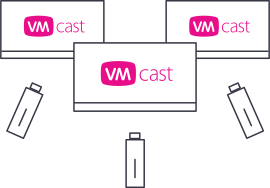
Add more streams
Add multiple VMcast streams to your account and use separate devices connected to each screen. This allows you to control each screen’s broadcast independently.
Required for multiple locations
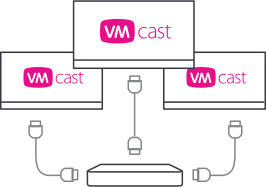
Use an HDMI splitter
Install an HDMI splitter between your screens and one of the VMcast hardware options listed on the page. Each screen will show the same broadcast in unison.
Need a different set up solution?
VMcast also runs on other platforms providing options for specialized setups such as hospital networks or custom display systems. Contact us to learn about your VMcast options.
Your patient education in one place
Thousands of videos and powerful service platforms for your website, your waiting room and more.
30-day money-back guarantee